Best Free OpenRouter AI Models for Programming in 2026
Free AI coding models are useful for far more than writing a small utility function. Developers now use them to debug errors, generate tests, refactor components, plan migrations, and power coding agents.
OpenRouter makes that experimentation easier by providing access to a changing selection of free models through one OpenAI-compatible API. But not every free model is equally useful for programming. Some are purpose-built for coding agents, some are better for fast iteration, and others are valuable because they can reason across very large amounts of repository context.
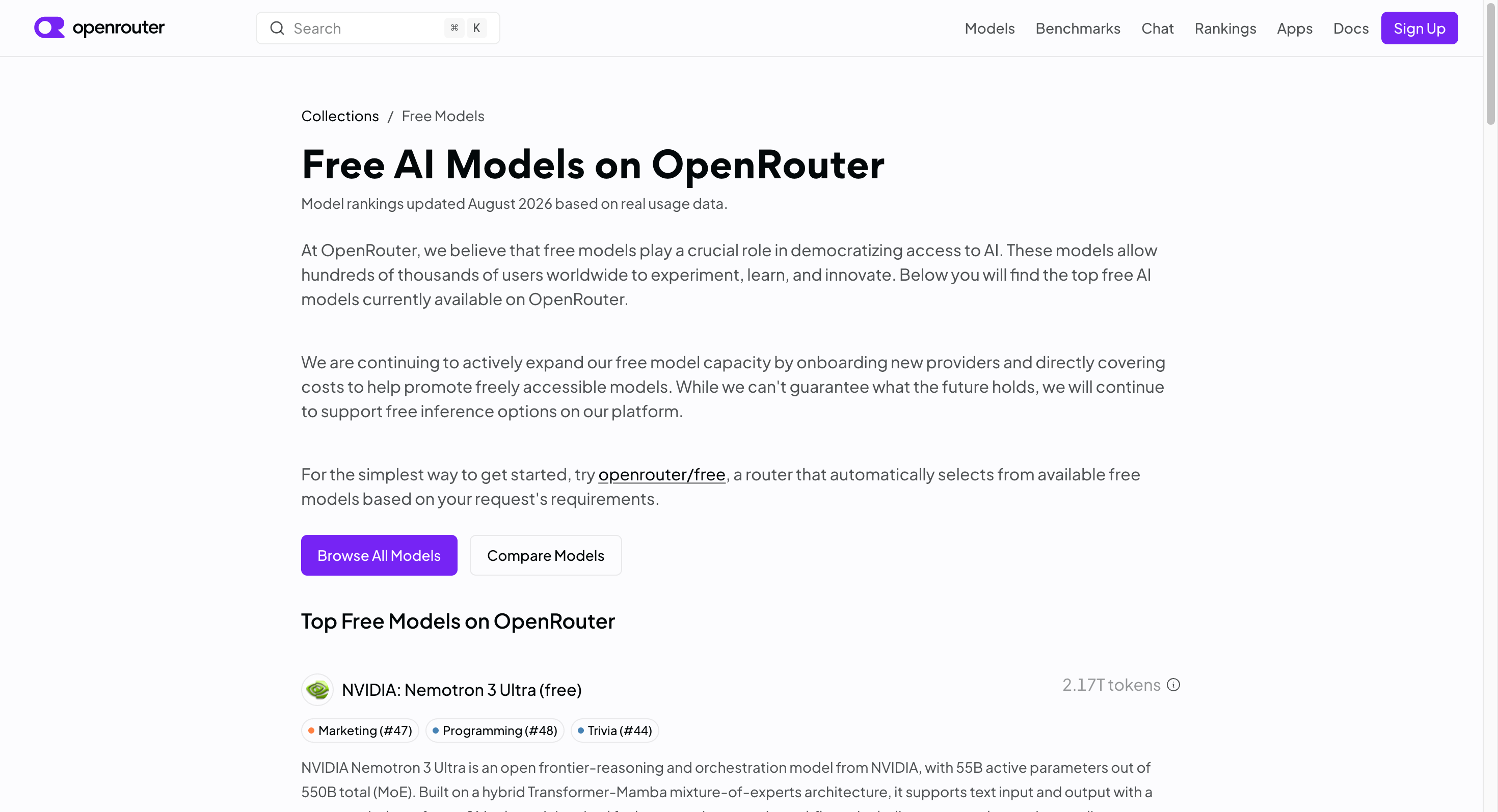
This guide covers the best free OpenRouter AI models for programming available as of August 11, 2026. It also explains where free models fit in a development workflow—and when it makes sense to move to a more stable multi-model API strategy.
Important: Free model availability, rate limits, and provider policies can change. Confirm that a model still has its
:freevariant on OpenRouter before building it into a workflow.
Quick answer: the best free OpenRouter coding models
| Best for | Model | Model ID | Why it stands out |
|---|---|---|---|
| Everyday coding and terminal tasks | North Mini Code | cohere/north-mini-code:free | Explicitly designed for code generation and agentic software engineering |
| Complex coding-agent tasks | Laguna S 2.1 | poolside/laguna-s-2.1:free | Built for software engineering, reasoning, and tool-driven workflows |
| Lightweight agentic coding | Laguna XS 2.1 | poolside/laguna-xs-2.1:free | Smaller coding-agent option with long context |
| Large repositories and specifications | Nemotron 3 Ultra | nvidia/nemotron-3-ultra-550b-a55b:free | 1M-token context for long-context planning and analysis |
For most developers, North Mini Code is the best place to start. If you are using an autonomous coding agent to work through multi-step software tasks, try Laguna S 2.1 next.
How we chose these models
This is not a claim that one model will win every benchmark or every codebase. The recommendations below are based on three practical criteria:
- The model is currently listed by OpenRouter as free.
- Its documented capabilities fit programming, software engineering, tool use, or coding-agent work.
- Its context window and architecture make sense for real development tasks.
The goal is to help you create a useful shortlist before you test models with your own prompts, repository conventions, and evaluation suite.
1. Cohere North Mini Code: best free model for everyday programming
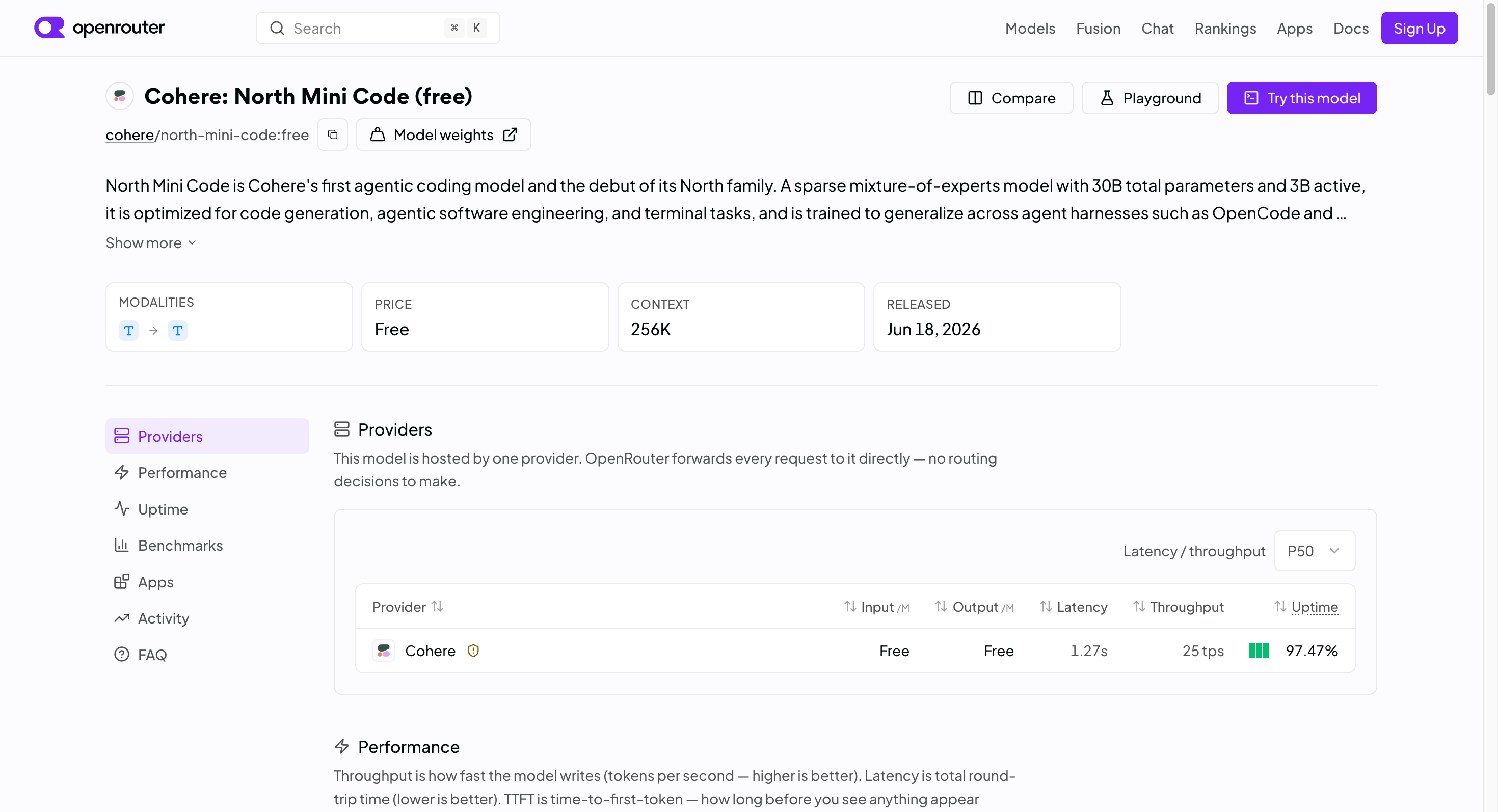
Model ID: cohere/north-mini-code:free
Context window: 256K tokens
Best for: Code generation, debugging, terminal tasks, tests, focused refactors
North Mini Code is the clearest recommendation for developers looking for a free OpenRouter coding model.
Cohere designed it for code generation, agentic software engineering, and terminal tasks. It is a sparse mixture-of-experts model with 30B total parameters and 3B active parameters. That relatively small active footprint is intended to make it efficient while retaining enough capability for serious coding work.
The model supports a 256K-token context window, up to 64K output tokens, interleaved reasoning, tool use, and structured JSON-style workflows. Those features matter when you are doing more than asking for a standalone code snippet.
Use North Mini Code for:
- Writing functions, API routes, scripts, and UI components.
- Explaining errors and proposing targeted fixes.
- Generating unit and integration tests.
- Refactoring a focused part of a codebase.
- Terminal-oriented workflows in coding-agent tools.
- Turning requirements into an implementation checklist.
A good prompt for North Mini Code should include the language, framework, existing conventions, constraints, and the expected output. For example:
You are working in a TypeScript Next.js app using Zod and Prisma.

Fix the validation bug in the following API route. Preserve the existing response format, add tests for invalid input and duplicate email handling, and do not introduce new dependencies.

[Paste relevant files here]
Its main limitation is not unique to this model: large architectural decisions still need careful human review. Ask it to state assumptions, generate tests, and explain any proposed breaking change.
2. Poolside Laguna S 2.1: best free model for coding agents
Model ID: poolside/laguna-s-2.1:free
Context window: 262K tokens
Best for: Multi-step implementation, repository tasks, coding agents, tool use
Poolside Laguna S 2.1 is a stronger fit when your task looks like software engineering rather than autocomplete.
It is a coding-agent model with 118B total parameters and 8B active parameters. OpenRouter describes it as designed for software engineering and agentic coding workflows, and lists a 262K-token context window. Poolside also reports Terminal-Bench 2.1 and DeepSWE benchmark results on the model page.
This is the model to test when you want an agent to:
- Investigate a failing test suite.
- Plan and implement a feature across multiple files.
- Read relevant source files before making a change.
- Use tools to inspect, edit, and validate code.
- Work through a structured bug-fix plan.
- Propose a migration path with risks and rollback steps.
For best results, do not simply say “fix the repo.” Give the model a definition of done:
Task: Add rate limiting to the login endpoint.

Requirements:
- Keep the existing API contract.
- Use the project’s current Redis client.
- Return HTTP 429 after five failed attempts in 15 minutes.
- Add unit tests and one integration test.
- Run the relevant test command after implementation.
- Report changed files and any assumptions.
One important consideration: OpenRouter notes that inputs and outputs submitted through Laguna’s free endpoint may be used to train and improve the model. Do not submit secrets, credentials, private customer data, or proprietary code unless you have reviewed and accepted the applicable data policy.
3. Poolside Laguna XS 2.1: best lightweight coding agent
Model ID: poolside/laguna-xs-2.1:free
Context window: 262K tokens
Best for: Agent experiments, long-context coding tasks, tool calling
Laguna XS 2.1 is a more compact alternative in Poolside’s coding-agent family.
It is a 33B-A3B model designed for agentic coding and combines reasoning, tool calling, and a 262K-token context window. Its smaller architecture makes it a practical candidate for teams that want to test agentic workflows without always using a flagship-scale model.
Use it for:
- Building a proof of concept for a coding agent.
- Tool-based code review workflows.
- Generating implementation plans from issue descriptions.
- Working with several source files and test results.
- Evaluating whether agentic coding fits your product.
Laguna XS 2.1 is not automatically “better” than Laguna S 2.1. Think of it as a useful comparison candidate. Run the same task through both models and review correctness, tool use, latency, and the amount of manual intervention required.
As with Laguna S 2.1, treat the free endpoint as unsuitable for sensitive material unless you have independently verified the current provider policy.
4. NVIDIA Nemotron 3 Ultra: best for huge codebase context
Model ID: nvidia/nemotron-3-ultra-550b-a55b:free
Context window: 1M tokens
Best for: Large repositories, long specifications, agent planning, cross-document analysis
Nemotron 3 Ultra is the option to consider when context length is the real bottleneck.
It is a 550B-parameter mixture-of-experts model with 55B active parameters and a 1M-token context window. OpenRouter positions it for long-running agentic workflows, coding agents, multi-step planning, and deep research.
That large context window is especially useful when a programming task requires you to consider more than one source of truth:
- A large section of a repository.
- Product requirements and technical design documents.
- Error logs, test failures, and observability data.
- API specifications and migration notes.
- Multiple related services or libraries.
Do not mistake a 1M-token context window for a reason to paste everything into every prompt. Large prompts can still be slow, expensive on paid models, and difficult for a model to prioritize. Start with the files most relevant to the task, then progressively add context if needed.
NVIDIA’s free-endpoint notice states that usage is logged for security and product-improvement purposes. Keep confidential code and personal data out of this workflow.
Other free models worth testing
The four models above are the strongest article focus because they directly match coding, software engineering, or long-context development work.
Two additional free models may still be useful in the right workflow:
NVIDIA Nemotron 3 Super
Model ID: nvidia/nemotron-3-super-120b-a12b:free
Context window: 262K tokens
Nemotron 3 Super is better framed as an agentic reasoning and planning model than as a pure code-generation specialist. It can be useful for technical planning, multi-agent orchestration, architecture reviews, and longer implementation workflows.
OpenAI gpt-oss-20b
Model ID: openai/gpt-oss-20b:free
Context window: 131K tokens
OpenAI gpt-oss-20b is an open-weight general-purpose model with configurable reasoning, function calling, tool use, and structured-output support. It is worth testing for JSON-driven development workflows, lightweight coding assistants, and automation tasks where predictable output structure matters.
How to test free OpenRouter coding models
OpenRouter uses an OpenAI-compatible API. You can test a specific free model by setting the model ID to its :free variant.
from openai import OpenAI

client = OpenAI(
    base_url="https://openrouter.ai/api/v1",
    api_key="YOUR_OPENROUTER_API_KEY",
)

response = client.chat.completions.create(
    model="cohere/north-mini-code:free",
    messages=[
        {
            "role": "system",
            "content": "You are a careful senior software engineer. Write production-ready code, explain assumptions briefly, and include tests where appropriate."
        },
        {
            "role": "user",
            "content": "Create a FastAPI user-registration endpoint with input validation, password hashing, duplicate-email handling, and tests."
        },
    ],
)

print(response.choices[0].message.content)
To compare models fairly, use one evaluation prompt across every candidate. Then score each response against the same criteria:
| Evaluation criterion | What to check |
| Correctness | Does the code run and meet every requirement? |
| Test coverage | Are success cases, failures, and edge cases tested? |
| Codebase fit | Does it follow your language, framework, and project conventions? |
| Hallucinations | Does it invent packages, APIs, or files that do not exist? |
| Tool use | Does it inspect and validate instead of making unsupported assumptions? |
| Speed | Is latency acceptable for your intended workflow? |
| Reliability | Does the model consistently complete the task over repeated runs? |
Free models are for evaluation—not always production
Free models are ideal for learning, prototypes, internal tools, hackathons, and early-stage model evaluation. They can also be enough for low-volume personal workflows.
However, free access has operational limits. OpenRouter documents a baseline limit of 50 free-model requests per day for accounts without at least $10 in purchased credits. The availability of individual free models can also change, and free traffic may have lower priority than paid requests. See OpenRouter’s current free-model guidance.
Before using a model in a customer-facing product, plan for:
- A stable primary model.
- A fallback model for failures or capacity issues.
- Request logging and error monitoring.
- Cost monitoring by model and environment.
- Privacy review for every provider endpoint.
- Repeatable model evaluations before changing production traffic.
From free-model testing to a production coding workflow
Free OpenRouter models help answer an important first question: Can this AI workflow solve our programming task?
The next question is operational: How do we use the right model in production without maintaining a separate integration, billing setup, and provider relationship for every model family?
That is where a unified model gateway becomes useful.
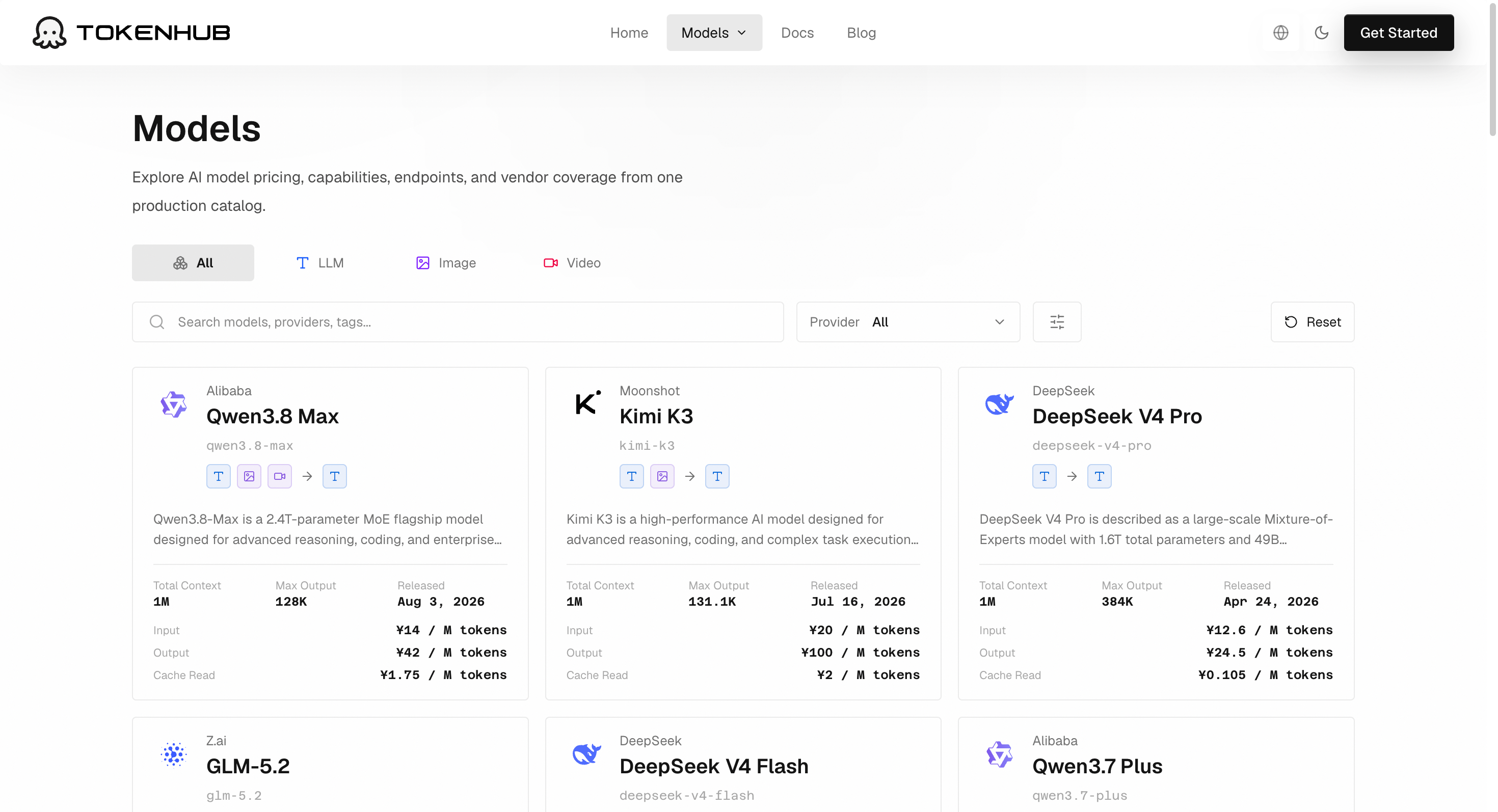
TokenHub provides an OpenAI-compatible API for accessing and comparing major model families through one integration. Teams can evaluate models for quality, latency, context length, and cost, then choose a suitable production route without rewriting application code for every provider.
A sensible workflow looks like this:
- Test your prompt with free models to validate the use case.
- Build a small evaluation set from real coding tasks and failure cases.
- Compare production-capable models against that evaluation set.
- Select a primary model and a fallback model.
- Route traffic through one API layer so model switching is a configuration decision, not an integration rewrite.
For example, when moving from experimentation to production, the application structure can remain OpenAI-compatible:
from openai import OpenAI

client = OpenAI(
    base_url="https://us-api.tokenhub.com/v1",
    api_key="YOUR_TOKENHUB_API_KEY",
)

response = client.chat.completions.create(
    model="YOUR_APPROVED_TOKENHUB_MODEL_ID",
    messages=[
        {
            "role": "user",
            "content": "Review this pull request diff. Identify bugs, security risks, missing tests, and suggested fixes."
        }
    ],
)
Before publishing your integration, choose a model ID that is currently available in your TokenHub workspace and confirm its pricing, limits, and data policy.
FAQ
What is the best free OpenRouter AI model for programming?
For most day-to-day coding tasks, North Mini Code is the best starting choice because it is specifically designed for code generation, terminal tasks, and agentic software engineering. For more complex coding-agent workflows, test Laguna S 2.1.
Are OpenRouter free models really free?
Models with a :free suffix have zero token pricing on OpenRouter. However, free access is subject to request limits, availability changes, and provider-specific policies.
Can I use OpenRouter free models in a coding agent?
Yes. OpenRouter’s OpenAI-compatible API can work with many coding-agent tools and custom development workflows. Check that the exact model supports the features your agent needs, especially tool calling and structured outputs.
Should I use openrouter/free for programming?
Use openrouter/free if you want to experiment with free inference and do not need a specific model. For repeatable coding evaluations, select a specific :free model ID so results are more consistent.
Are free models safe for proprietary code?
Do not assume they are. Review each provider’s current data policy and avoid sending secrets, credentials, customer data, or proprietary source code to free endpoints unless the policy explicitly permits it.
Final recommendation
Start with North Mini Code for everyday programming, testing, debugging, and terminal tasks. Use Laguna S 2.1 or Laguna XS 2.1 when you want to evaluate coding-agent workflows. Choose Nemotron 3 Ultra when your task needs unusually large context across code, documents, logs, and requirements.
Use free models to learn and validate your workflow. When reliability, routing, cost control, and multi-provider access become important, evaluate production models through a unified API layer such as TokenHub.